Android keyboard app that types directly to media boxes
RCKeyboard, from Elsayed Khater, is a remote input utility that lets an Android phone act as a keyboard for external devices. The app sends typed input to connected hardware to speed searches, text entry, and configuration on media boxes and satellite receivers. It supports multiple languages and special characters, offers a minimal setup via Android's Language & Input settings, and targets users who prefer faster, keyboard-based control of niche home entertainment hardware. Installation is straightforward and the interface focuses on utility.
It turns your phone into a direct text source for external hardware
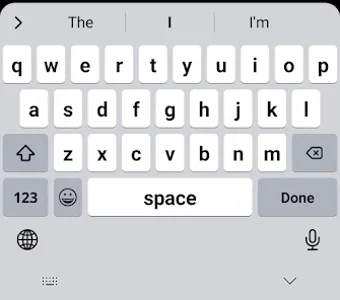
The app converts an Android device into a remote text input source, sending typed characters from the phone to external hardware such as media boxes and satellite receivers. The app operates as an input method that the user enables through the device's input methods panel. That design shifts text entry from directional remote navigation to direct typing, reducing the number of button presses needed for searches and configuration tasks.
Language support and input focus give useful control for remote tasks
The app supports multiple languages and special characters, so users who need accented letters or non-Latin scripts can send them to compatible devices. RCKeyboard targets remote input scenarios rather than daily smartphone typing, so its layout and shortcuts prioritize quick device control. Advanced text macros or deep keyboard remapping are not described, indicating the control depth centers on language support and straightforward character entry.
Background impact remains small thanks to a lightweight footprint
The app keeps a small runtime presence as an input method, and its notes state a lightweight footprint that preserves system resources. Because it operates through Android's input framework it runs in the background while active; users should expect a persistent keyboard process rather than a separate foreground service. The footprint claims suggest low CPU and RAM impact for typical use compared with visually intensive personalization tools.
Setup is simple but depends on compatible receiver protocols
Activation is a short enable step inside Android's input settings, so you turn it on by selecting the keyboard rather than pairing devices. The app integrates with compatible receiver ecosystems, including Enigma2-style targets, and uses existing remote-control protocols to reach external hardware. That makes configuration straightforward for matching devices but limits usefulness where those protocols are unsupported.
Practical choice when your hardware and protocols align
RCKeyboard suits Android users who rely on remote-controlled media hardware and need a pragmatic typing bridge; its usefulness depends on whether your devices speak the same remote-control protocols. For minimal background presence, enable the keyboard only while interacting with external hardware. The app fits people who prioritize precise, quicker text input to niche entertainment devices rather than daily phone typing.
Pros
Sends typed input directly to media boxes and satellite receivers
Supports multiple languages and special characters for remote entry
Minimal activation via Android input settings, short setup step
Cons
Depends on compatible remote-control protocols to reach external devices
Not intended as a primary smartphone keyboard for daily typing
Functionality concentrates on specific receiver ecosystems like Enigma2
Laws concerning the use of this software vary from country to country. We do not encourage or condone the use of this program if it is in violation of these laws. Softonic may receive a referral fee if you click or buy any of the products featured here.